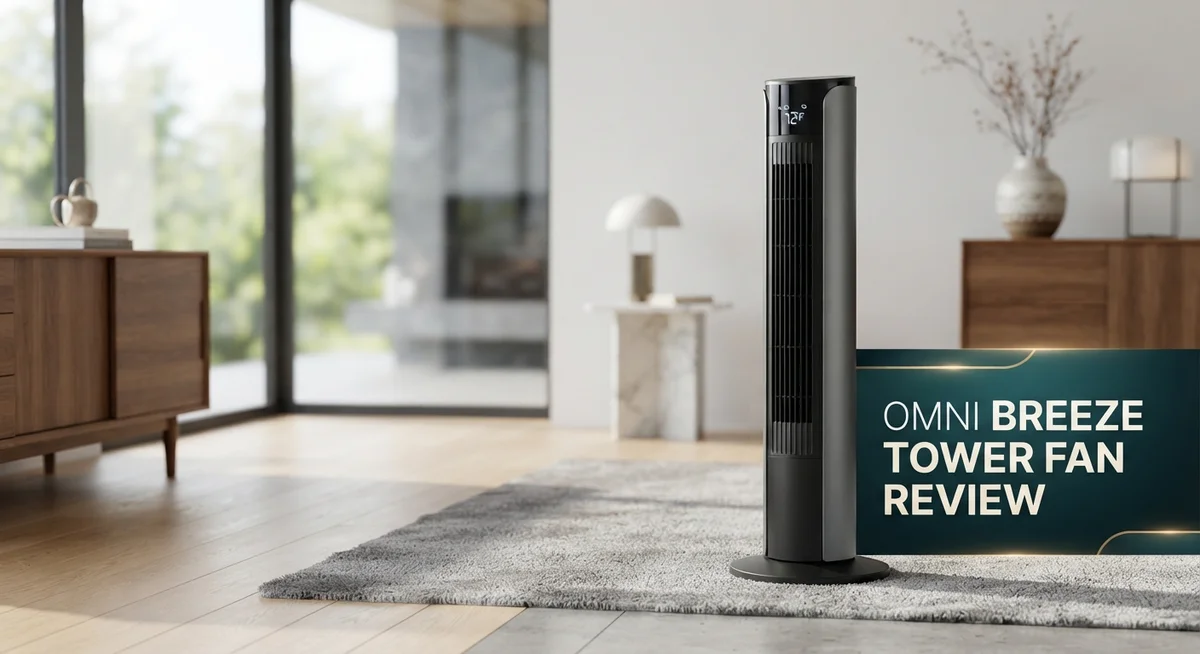
OmniBreeze Tower Fan Review: Quiet Operation & Smart Features?
Summer heat can make any room feel unbearable. You want a fan that cools fast and stays quiet. The OmniBreeze Tower Fan promises to do both.
This bladeless tower fan stands 38 inches tall. It fits neatly into bedrooms, offices, or living rooms. Its sleek design blends with modern decor.
OmniBreeze offers 5 speeds and 4 breeze modes. You can pick the perfect airflow for any moment. A quiet motor lets you sleep, work, or relax without noise.
The fan covers up to 200 square feet. That means one unit can cool an entire room. A remote control and LED display make adjustments simple.
Some models include Wi-Fi connectivity. You can control your fan from your phone. Smart features add convenience to daily use.
This review breaks down every feature in detail. We look at performance, design, and real world usability. You will learn what makes this fan special.
We also compare it to top competitors like Dyson and Levoit. By the end, you will know if OmniBreeze fits your cooling needs. Let’s explore what this tower fan truly offers.
In a Nutshell
The OmniBreeze Tower Fan brings calm, quiet cooling to any room. It skips the noisy blades and harsh gusts. Instead, it gives you smooth, steady airflow.
Here is what stands out most about this fan:
-
Whisper quiet performance. You can sleep, work, or watch TV without any annoying buzz. The silent mode makes bedtime cooling easy.
-
Remote control ease. You control speed and modes from your couch or bed. No need to get up and adjust settings manually.
-
Smart features on premium models. Wi-Fi enabled versions let you control the fan through an app. This adds convenience for tech savvy users.
-
Auto display shutoff. The LED screen turns off on its own. This helps you sleep without bright light disturbing you.
-
Gentle airflow trade-off. This fan reaches about 4 feet on its highest setting. It suits personal cooling better than powerful room blasting.
-
Simple, sleek design. The bladeless build looks modern and stays safe around kids and pets.
Overall, this fan focuses on comfort and convenience over raw power.
Design and Build Quality
The OmniBreeze Tower Fan uses a bladeless construction that sets it apart from traditional cooling devices. This design eliminates exposed blades, making the unit safer for homes with kids and pets. The smooth, modern aesthetic fits easily into any room decor without looking clunky or industrial.
The fan stands at 38 inches tall, which gives it a slim profile. It doesn’t take up much floor space compared to box fans or pedestal models with blade guards. The base sits firmly on the ground and resists tipping during normal use.
The build quality feels solid throughout. The plastic housing shows no obvious cheap materials or loose parts. The seams line up cleanly, and the overall assembly appears durable for long-term use. The remote control sits comfortably in your hand and uses standard batteries.
The LED display shows speed settings and timer options with clear, easy-to-read numbers. You can dim or shut off this display completely if the light bothers you at night. This small touch makes a real difference for bedroom placement.
The oscillation mechanism works internally at 90 degrees. You won’t see moving parts or hear grinding sounds as the fan rotates. This internal design keeps the exterior looking clean and uncluttered.
Weight distribution keeps the unit stable even on smooth floors. The fan doesn’t wobble when running at higher speeds. Moving it from room to room is manageable for one person.
The cord length allows flexible placement without needing extension cords in most situations. Cable management stays simple since there are no extra attachments or accessories to store.
The overall construction prioritizes quiet operation and visual appeal over industrial durability. This makes sense for living spaces where both aesthetics and sound matter. The fan handles regular daily use without issues, though it’s not built for commercial or outdoor environments.

- 4 Fan Mode Choose: Normally/ Natural/ Sleep/ Auto Mode. Natual wind: blended wind speeds that simulate a...
- 4 Fan Speed Option: Ultra-quiet, Low, midium and High. Customers can enjoy different variations of...
- Easy Assembly: The product is designed with easy assembly, took out the main body, two part of base and...
Last update on 2026-11-01 / Affiliate links / Images from Amazon Product Advertising API
Performance and Airflow Coverage
The OmniBreeze Tower Fan moves air across your space with steady, consistent flow. The 90 degree oscillation spreads cool air throughout the room without creating harsh drafts. You get coverage up to 200 square feet, which works well for bedrooms, living rooms, and home offices.
The fan delivers five distinct speed settings. Each level increases airflow gradually, so you control exactly how much breeze you want. The four breeze modes add another layer of customization. You can choose constant flow, natural wind simulation, or sleep mode for nighttime comfort.
On the highest setting, airflow reaches about 4 feet from the unit. This is gentler than traditional blade fans, which matters if you prefer soft cooling rather than powerful gusts. The trade-off is comfort over intensity. Many people appreciate this approach because it prevents cold spots and sudden temperature changes.
The oscillation feature keeps air moving across your entire room. You don’t need to reposition the fan manually. The internal mechanism works smoothly and silently, rotating side to side to distribute cooling evenly.
The LED display shows your current speed and remaining timer minutes. You can see settings from across the room. The remote control lets you adjust everything from your bed or couch without standing up.
Silent mode deserves special mention here. This setting runs the fan at whisper quiet levels, perfect for sleeping or focused work. The motor barely makes any sound, yet still provides noticeable air circulation.
Placement flexibility matters too. The 38 inch height fits most room layouts. You can position it in corners, against walls, or beside furniture without blocking sightlines. The slim profile takes up minimal floor space.
The fan performs best in rooms with standard ceiling heights and moderate insulation. Open floor plans see better results than enclosed spaces. Rooms with existing air circulation from windows or doors benefit from the OmniBreeze’s gentle approach.
Overall, performance focuses on quiet, even cooling rather than maximum power output. This makes it ideal for people who value peaceful environments and consistent comfort.
Noise Level and Operating Modes
The OmniBreeze Tower Fan operates with a focus on quiet, peaceful cooling. Most users appreciate how this fan runs without creating annoying background noise that disrupts your day.
The fan includes five speed settings that let you control airflow intensity. You can start at the gentlest level for nighttime use or bump it up when you need more circulation. Each speed adjustment happens smoothly without jarring transitions.
The four breeze modes add variety to how air moves through your room. These modes simulate natural wind patterns instead of blowing constant, artificial air. You get options like gentle breeze, normal breeze, sleep mode, and nature mode. Each mode creates a different feeling, so you can pick what suits your mood.
Silent mode stands out as a key feature for light sleepers and quiet spaces. This mode reduces the fan to its lowest noise level while still providing air movement. The motor runs almost imperceptibly, making it perfect for bedrooms or offices where silence matters.
The 12-hour timer lets you set the fan to run for a specific duration. You can fall asleep without worrying about leaving it on all night. The timer automatically shuts the unit down when time runs out.
An auto display shutoff keeps the LED screen dark during sleep mode. The bright display won’t disturb you if you keep the fan running overnight. This small feature shows OmniBreeze understands real bedroom needs.
The remote control makes switching between modes effortless. You don’t need to walk to the fan to adjust settings. Everything you need sits in your hand from across the room.
Premium models include Wi-Fi connectivity for smartphone control. You can turn the fan on or off from anywhere using an app. This works great if you want to cool your room before arriving home.
The oscillation feature operates internally at 90 degrees. Air spreads evenly throughout your space without the fan physically rotating. This quiet operation keeps noise down compared to traditional oscillating fans.
Overall, the noise level remains impressively low across all modes. The operating options give you flexibility for different times of day and personal preferences.
Top 3 Alternatives
Dreo Tower Fan

- ...
- ...
- ...

Last update on 2026-11-01 / Affiliate links / Images from Amazon Product Advertising API
The Dreo Tower Fan delivers strong airflow with a sleek design. This fan features multiple speed settings to match your comfort needs. You can control it easily with the remote or touch panel. The oscillation feature spreads air throughout your room effectively.
It runs quietly, so it won’t disturb your sleep or work. The fan includes a timer function for automatic shutoff. The tall frame fits well in corners or against walls. Many users appreciate how simple it is to assemble and clean.
Levoit Tower Fan

- 𝗢𝗻𝗲 𝗙𝗮𝗻 𝗳𝗼𝗿 𝗔𝗹𝗹 𝗬𝗼𝘂𝗿 𝗡𝗲𝗲𝗱𝘀: From a gentle...
- 𝗤𝘂𝗶𝗲𝘁 𝗦𝗹𝗲𝗲𝗽 𝗔𝗹𝗹 𝗡𝗶𝗴𝗵𝘁: Perfect bedroom fan with a...
- 𝗔𝘂𝘁𝗼-𝗔𝗱𝗷𝘂𝘀𝘁𝘀 𝘁𝗼 𝗬𝗼𝘂𝗿 𝗥𝗼𝗼𝗺: Use Auto Mode...
Last update on 2026-11-01 / Affiliate links / Images from Amazon Product Advertising API
The Levoit Tower Fan stands out for its whisper-quiet operation. This model offers three speed modes and a wide oscillation range. You get smooth, consistent airflow without annoying noise.
The fan includes a sleep mode that gradually reduces speed. It has an 8-hour timer for convenience. The compact design works well in bedrooms, living rooms, or offices. The remote control lets you adjust settings from across the room. Users love how it cools spaces efficiently while staying nearly silent.
Taotronics Tower Fan

- ...
- ...
- 𝐂𝐮𝐬𝐭𝐨𝐦𝐢𝐳𝐚𝐛𝐥𝐞 𝐂𝐨𝐦𝐟𝐨𝐫𝐭: Featured with 8 speeds...
Last update on 2026-11-01 / Affiliate links / Images from Amazon Product Advertising API
The Taotronics Tower Fan combines power with affordability. This fan delivers strong airflow with adjustable speed settings. The oscillation feature covers a wide area, cooling your entire room.
It operates at low noise levels, making it suitable for any space. The timer function allows you to set it and forget it. The lightweight frame makes moving it between rooms simple. The touch controls are intuitive and easy to use. Many customers praise its durability and reliable performance over time.
Each of these fans offers solid cooling power. Your choice depends on whether you prioritize quiet operation, strong airflow, or value. All three provide effective room cooling with user-friendly controls.
Smart Features and Controls
The OmniBreeze Tower Fan puts smart control right in your hands. You get a remote control that lets you adjust settings from across the room without standing up. The buttons feel responsive and easy to understand, even in low light.
Wi-Fi connectivity comes standard on premium models. This means you can control the fan from your smartphone, whether you’re in the living room or away from home. You download the companion app and manage speed, timer, and breeze modes instantly.
The LED display shows your current settings with large, clear numbers. You can see which speed you’ve selected and how many minutes remain on the timer. The auto display shutoff feature keeps the screen dark during sleep mode, so no glowing lights disturb your rest.
Scheduling works smoothly through the app. Set the fan to turn on before you arrive home or shut down at a specific time. This hands-off approach saves energy and gives you peace of mind.
The 12-hour timer offers flexibility for different routines. Run the fan during your afternoon nap or set it to stop after you fall asleep. You don’t need to remember to turn it off manually.
The remote control includes buttons for all major functions. Speed adjustment, oscillation toggle, timer settings, and breeze mode selection sit within easy reach. Battery life lasts for months under normal use.
Silent mode deserves attention here. Press this button and the fan drops to its quietest setting automatically. This mode pairs perfectly with the auto display shutoff for a completely unobtrusive experience.
The four breeze modes add personality to cooling. Choose between steady flow, natural breeze, sleep breeze, or smart breeze options. Each mode creates a different feel, so you pick what works best for your space and mood.
Overall, the smart features focus on convenience and simplicity. You won’t find overwhelming menu systems or confusing settings. Every control serves a clear purpose, making the OmniBreeze Tower Fan accessible to anyone, regardless of tech comfort level.
Energy Efficiency and Runtime
The OmniBreeze Tower Fan delivers impressive energy efficiency for everyday cooling needs. The unit runs on standard household power and consumes minimal electricity compared to traditional air conditioning systems. This makes it an excellent choice for rooms where you want consistent comfort without heavy energy demands.
Runtime flexibility comes from the 12-hour timer feature. You can set the fan to run for a specific duration and forget about it. This prevents the fan from running all day and night, which saves energy automatically. The timer works perfectly for people who want cooling during specific hours, like bedtime or afternoon relaxation.
The five speed settings give you control over energy consumption. Running on lower speeds uses less power while still providing gentle airflow. Many users find that speeds 2 and 3 deliver enough air movement for comfortable cooling without pushing the motor hard. Higher speeds draw more energy but remain efficient for the coverage area they provide.
Silent mode represents another energy smart feature. This mode reduces motor strain by operating at lower speeds with minimal noise. Running in silent mode actually extends the motor’s lifespan because the unit works less intensely. You get cooling comfort while reducing wear and tear on internal components.
The auto display shutoff also contributes to efficiency. When the LED screen turns off during sleep mode, the fan uses slightly less power. This small feature adds up over time, especially if you run the fan nightly. Every bit of energy savings helps reduce your overall consumption.
Wi-Fi enabled models on premium versions let you monitor runtime remotely. You can check if the fan is running and turn it off from your smartphone. This prevents accidental extended operation when you forget to power down manually. Smart scheduling through the app helps optimize when the fan runs based on your routine.
Overall, the OmniBreeze Tower Fan balances runtime flexibility with energy efficiency. The combination of timer options, speed controls, and smart features means you get cooling comfort without excessive power consumption.
Pros and Cons
Pros
- Operates with minimal noise, making it ideal for bedrooms and quiet spaces
- Bladeless design eliminates dust accumulation on traditional fan blades
- Covers up to 200 square feet, cooling larger rooms effectively
- Wi-Fi enabled on premium models for smartphone control and scheduling
- Remote control lets you adjust settings from across the room without getting up
Cons
- Airflow reaches only about 4 feet on the highest speed setting, so placement matters for distant areas
- Produces gentler air circulation compared to traditional blade fans with more power
- Limited ability to cool very large open spaces or rooms with high ceilings
Who Should Buy It
The OmniBreeze Tower Fan works best for people who value quiet cooling in their daily spaces. If you sleep lightly or work from home, this fan’s silent operation keeps distractions away while still moving air through your room.
You should consider this fan if you live in a smaller to medium sized home. The 200 square foot coverage area handles bedrooms, offices, and living rooms well. Larger open concept spaces may need a different solution since the airflow reaches about 4 feet on the highest setting.
Smart home enthusiasts will appreciate the Wi-Fi enabled models on premium versions. If you already control your lights and thermostats from your phone, adding this fan to your setup makes sense. The app lets you schedule cooling sessions before you get home.
Pet owners benefit from the bladeless design. Traditional fans collect dust and pet hair on their blades. This fan’s smooth surface stays cleaner longer and requires less maintenance overall.
Renters love this fan because it doesn’t require installation. The tower design fits in corners or beside furniture without taking up much floor space. You can move it between rooms as needed.
People with allergies should note the bladeless construction reduces dust circulation. The fan doesn’t kick up particles like blade fans do, making it gentler on your respiratory system.
Night shift workers gain flexibility from the 12-hour timer and remote control. You can set the fan to run while you sleep, then shut off automatically without getting up. Silent mode ensures you rest undisturbed.
Skip this fan if you need powerful air movement for large spaces or outdoor patios. The gentle breeze works against strong heat but won’t cool a warehouse or open garage. You’d want a traditional blade fan with more muscle for those situations.
Minimalist decorators appreciate the sleek, modern look. The fan blends into contemporary spaces better than bulky traditional models. The LED display disappears when not in use, keeping your room clean and simple.
This fan suits people who prioritize convenience, quiet operation, and smart features over maximum cooling power.
Final Verdict
The OmniBreeze Tower Fan earns its spot as a solid choice for anyone who wants calm, steady cooling. It brings simple technology into a sleek package that fits most home decor styles.
Compared to rivals like Dyson or Vornado, this fan focuses less on raw power and more on comfort. It suits people who want a peaceful room over a windy blast.
The build feels sturdy for daily use. Cleaning stays simple since the bladeless design keeps dust from building up inside the unit.
If you compare it to brands like Levoit or DREO, the OmniBreeze holds its own with smart features and a clean look. It may not beat every competitor on power, but it wins on comfort and ease of use.
This fan fits best in homes, apartments, and offices where quiet matters more than intense airflow. It also works well as a secondary fan alongside a stronger unit for bigger spaces.
Think of the OmniBreeze as a companion for relaxed environments. Bedrooms, nurseries, home offices, and small living rooms all benefit from its steady performance.
Buyers who want smart home integration will enjoy the premium Wi-Fi model. It adds convenience without complicating the setup process.
People who need strong wind for large gatherings or outdoor spaces should look elsewhere. This fan shines indoors, in rooms where comfort and quiet are priorities.
Overall, the OmniBreeze Tower Fan proves that a fan does not need to be loud to be effective. It brings together style, quiet operation, and smart convenience in one package.
If your goal is calm cooling with modern features, this fan deserves a place on your shortlist. It stands as a dependable option among today’s crowded fan market.
For those who want a peaceful and low maintenance cooling experience, the OmniBreeze Tower Fan makes a confident and satisfying choice.
Frequently Asked Questions
Does the OmniBreeze Tower Fan work well in large rooms?
The OmniBreeze covers up to 200 square feet, which works best for medium sized spaces. On the highest speed setting, airflow reaches about 4 feet from the fan. If your room is larger or you need cooling across a wider distance, you may want to place the fan in a central location. For very large open spaces or rooms with high ceilings, this fan has limits. Consider a traditional blade fan if you need powerful air movement across a big area.
Can I control this fan from my phone?
Yes, the premium Wi-Fi enabled models let you control the fan through your smartphone. You can adjust speeds, set schedules, and turn it on or off remotely. The standard model comes with a remote control, so you can still adjust settings from across the room. Both options give you convenience without getting up.
Is this fan quiet enough for nighttime use?
The OmniBreeze runs very quietly, making it ideal for sleeping. It includes a silent mode and a 12-hour timer, so you can set it to run while you sleep and turn off automatically. Night shift workers and light sleepers appreciate this feature. The bladeless design also contributes to the quiet operation.
Who should skip this fan?
Skip the OmniBreeze if you need strong, powerful airflow for large gatherings or outdoor spaces. This fan focuses on calm, steady cooling rather than intense wind power. If you live in a very large home or need to cool an open concept area quickly, a traditional blade fan may suit you better.

Lufy combines years of electrical expertise with a passion for emerging technology to deliver honest, detailed reviews of tools, machines, and gadgets. Through electrokit.blog, Lufy empowers readers with practical insights and comparisons to choose the best electrical equipment for their needs.