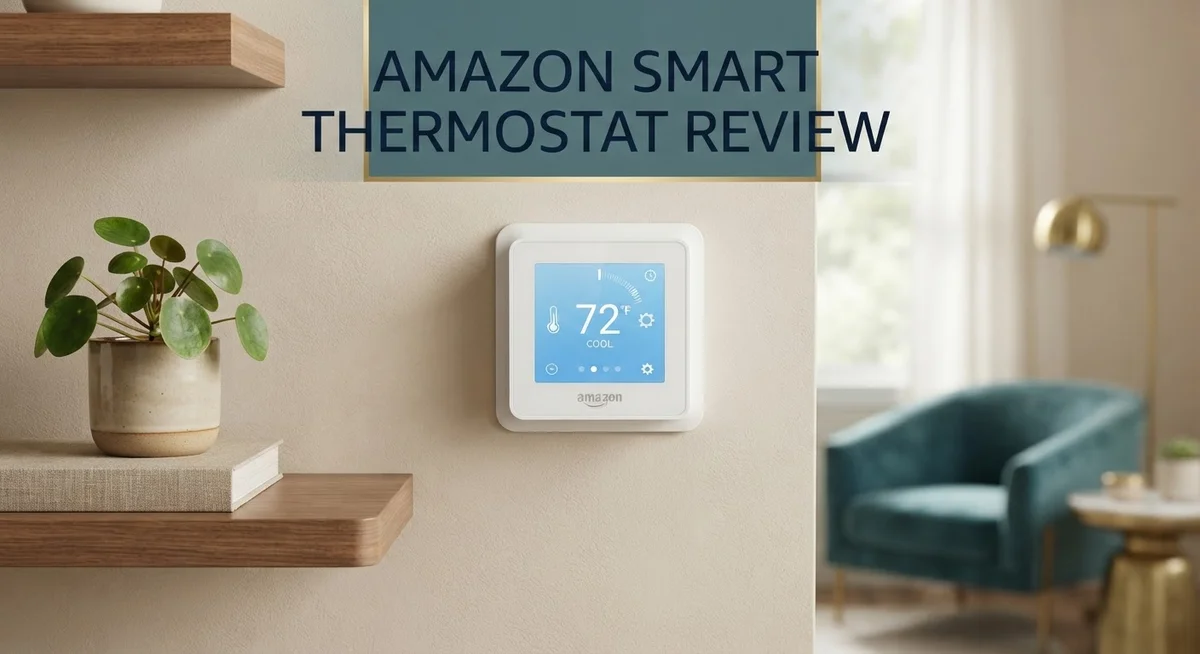
Amazon Smart Thermostat Review: Features Worth Buying?
Want a smart home that saves energy and feels simple? The Amazon Smart Thermostat might be your answer. It works with Alexa and learns your habits over time.
This thermostat uses trusted Honeywell Home technology. It brings smart features into your home without a steep learning curve.
You get an indoor humidity sensor and an energy dashboard. These tools help you track comfort and usage easily.
Setup is quick and simple for most users. But it does need a C-wire, so check your system first.
This review covers everything you need to know. We look at real performance, smart features, and daily usability.
Is this thermostat the right fit for your smart home? Keep reading to find out if it matches your needs and lifestyle.
In a Nutshell
Here is a quick snapshot of what this thermostat offers:
-
Alexa integration sits at the core of this device. You can control temperature with voice commands alone. No extra apps or hubs needed.
-
The “Hunches” feature learns your daily habits. It adjusts settings automatically based on your routine. This saves you time and effort.
-
Scheduling feels simple through the Alexa app. You set up to four time periods each day. Changes happen in just a few taps.
-
This model lacks a touchscreen display. Some users may miss that physical control option. The app handles most functions instead.
-
Smart home compatibility stays limited. It skips HomeKit and Google Home support. Alexa users get the smoothest experience here.
-
A C-wire connection is required. Older homes without this wiring may face setup issues. Check your system before buying.
-
Users rate this thermostat 4.5 out of 5 stars. That score reflects strong satisfaction overall. Energy savings and ease of use stand out most.
This thermostat suits Alexa households best. It may not fit everyone’s smart home setup.
Key Features and Specifications
The Amazon Smart Thermostat packs practical features into a straightforward design. This device runs on proven Honeywell Home technology, giving you a solid foundation for climate control.
Programming flexibility matters here. You can set up to four different time periods each day. This means your heating and cooling adjusts automatically as your schedule changes. Morning wake-ups feel comfortable, and you save energy when nobody’s home.
The indoor humidity sensor tracks moisture levels continuously. Dry air and excess humidity both affect comfort. This sensor helps your system maintain balance without extra equipment or setup steps.
Your energy dashboard shows exactly how much you’re using. Real data replaces guessing. You see daily, weekly, and monthly patterns. This visibility helps you make smarter decisions about temperature settings and habits.
The “Hunches” feature learns your behavior over time. The thermostat notices when you adjust temperatures and patterns emerge. It starts making automatic adjustments that match your lifestyle. This learning happens quietly in the background.
Voice control through Alexa gives you hands-free operation. Ask Alexa to change the temperature from anywhere in your home. You can also adjust settings through the Alexa app on your phone. No need to walk to the thermostat.
One important limitation stands out: this model requires a C-wire connection. Your home needs this dedicated wire for power. If your current system lacks a C-wire, installation becomes complicated. Check your existing thermostat before purchasing.
The display itself stays simple and basic. You get essential information without a touchscreen interface. Some users prefer this simplicity, while others want more visual feedback.
Smart home compatibility remains narrow. This thermostat works best with Alexa devices. It doesn’t connect with Apple HomeKit or Google Home. If you use those ecosystems, integration options feel limited.
The device also lacks external room sensors. It only monitors temperature where it sits. Multi-room homes might experience uneven comfort levels.
These specifications create a focused product. It excels for Alexa users who want straightforward climate control without complexity.

- Smart upgrade - Amazon Smart Thermostat is an easy way to switch from a traditional thermostat and help...
- Create comfort zones throughout your home by using select Echo devices or Amazon Smart Air Quality...
- Save money - After purchase, Amazon will send you an email with details about rebates that may be...

Last update on 2026-11-01 / Affiliate links / Images from Amazon Product Advertising API
Installation and Setup
Getting your Amazon Smart Thermostat up and running takes just a few steps. The installation process works smoothly for most homes, though one key requirement matters: you need a C-wire connection.
Before you start, check your current system. The C-wire powers the thermostat continuously. If your existing setup lacks this wire, you’ll face a compatibility issue. Many older homes don’t have C-wires installed. Some newer systems skip them too. This is the single biggest factor in determining whether this thermostat fits your home.
The actual setup moves quickly once you confirm C-wire availability. You turn off power to your HVAC system first. Then you disconnect your old thermostat and note which wires connect where. Most people complete this step in under five minutes. The Amazon Smart Thermostat comes with clear wiring labels that match standard color codes.
Next, you mount the thermostat on your wall. The included bracket holds it securely. You connect the wires according to the labels provided. The device powers on automatically once wired correctly. No special tools are needed for this part of the installation.
The real magic happens after physical setup. The Alexa app guides you through configuration. You name your thermostat, set your location, and choose your heating and cooling preferences. The app walks you through each step without confusion. Most users finish this part in under ten minutes.
Once configured, the thermostat connects to your WiFi network. The “Hunches” feature begins learning your patterns immediately. It observes when you adjust temperature and what times you prefer certain settings. Over several days, it starts making automatic adjustments based on your habits.
Voice control activation happens instantly. You can ask Alexa to raise or lower the temperature right away. The thermostat responds within seconds. No waiting or lag occurs during normal operation.
The entire process from unboxing to full operation typically takes under thirty minutes. The main challenge isn’t the setup itself. It’s determining whether your home has the required C-wire before you begin.
Smart Home Integration and Voice Control
The Amazon Smart Thermostat shines when it comes to voice control through Alexa. You can adjust your temperature without lifting a finger. Simply say commands like “Alexa, set the temperature to 72 degrees” and it responds instantly.
This device integrates deeply with Alexa ecosystems. Your thermostat becomes part of a larger smart home network. You control it from the Alexa app on your phone. Routines work smoothly too. You can create automation that adjusts temperature based on time of day or other triggers.
The “Hunches” feature deserves special attention here. This smart learning capability observes your patterns over weeks. It notices when you typically wake up, leave home, or return. The thermostat then suggests temperature changes that match your lifestyle. You can accept or reject these suggestions. Over time, it gets smarter about your preferences.
However, ecosystem limitations exist. This thermostat only works with Alexa devices. If you use Google Home or Apple HomeKit, this model won’t connect. Your smart home must center around Amazon’s ecosystem for full functionality. This is a significant consideration if you have mixed smart home devices.
Voice commands work reliably once set up. You can ask Alexa to show your energy usage. You can request temperature history. You can even create complex routines that involve multiple devices. The integration feels natural and responsive.
The energy dashboard connects to voice control too. Alexa can tell you your consumption patterns. You get insights without opening the app. This combination of voice access and data visibility helps you make informed decisions.
Setup for voice control happens automatically. Once you connect the thermostat to WiFi, Alexa discovers it. No additional configuration steps are needed. The device appears in your Alexa app immediately.
The bottom line: This thermostat works best for households already committed to Alexa. Voice control feels seamless and intuitive. The learning features add convenience over time. Just remember that ecosystem compatibility stays limited to Amazon’s platform.
Top 3 Alternatives
Nest Learning Thermostat

- Nest’s smartest, most advanced thermostat yet, the Google Nest Learning Thermostat (4th gen) is a...
- Savings you can count on: The Nest Learning Thermostat can help save up to 31% on heating and cooling...
- Improved compatibility: It works with most 24V systems, including gas, electric, oil, forced air, heat...
Last update on 2026-11-01 / Affiliate links / Images from Amazon Product Advertising API
The Nest Learning Thermostat stands out because it learns your schedule automatically. You don’t need to program it manually. After a few days, Nest adjusts temperatures based on your patterns and preferences.
This device connects to your phone, so you can control it from anywhere. The sleek circular display looks modern on any wall. Nest also detects when nobody is home and switches to Eco mode to save energy.
Ecobee SmartThermostat

- Save up to 23% every year on heating and cooling costs, adjusts to your set schedule to save energy when...
- Compatible with 85% of systems, check your system’s compatibility with our online ecobee Compatibility...
- Change your temperature by easily tapping the color touchscreen or using the ecobee app. Plus, free...
Last update on 2026-11-01 / Affiliate links / Images from Amazon Product Advertising API
Ecobee’s SmartThermostat comes with a remote sensor included in the box. This sensor reads temperature in different rooms, so your home stays comfortable everywhere, not just where the thermostat sits.
The device works with Alexa built-in, meaning you can use voice commands. Ecobee shows detailed energy reports so you understand how much heating or cooling you actually use. Installation is straightforward for most homes.
Honeywell Home T9

- HELP SAVE ENERGY. See your energy use in the Monthly Energy Report, and help save even more with a...
- AUTO HOME AND AWAY MODE. Adjust your thermostat from anywhere with your mobile device, or let your home...
- MULTI-ROOM FOCUS. Add Smart Room Sensors to focus the temperature on multiple rooms for comfort where it...
Last update on 2026-11-01 / Affiliate links / Images from Amazon Product Advertising API
The Honeywell Home T9 offers professional-grade features at a reasonable investment level. It includes a remote sensor that detects motion and temperature, giving you precise control over comfort.
This thermostat learns your routine and adjusts automatically, similar to Nest. Honeywell’s app provides clear scheduling options and energy tracking. The T9 works with multiple smart home systems, making it flexible for different setups.
All three alternatives give you remote access, learning capabilities, and energy savings. Each one handles smart home integration differently, so your choice depends on which features matter most to your home.
Energy Monitoring and Savings
The energy monitoring features on this thermostat give you real visibility into your heating and cooling habits. Your energy dashboard displays consumption patterns right through the Alexa app, so you can see exactly when your system runs most heavily.
The “Hunches” feature plays a key role in reducing waste. This learning system watches your daily routines and adjusts temperatures automatically based on your behavior. Over time, it recognizes when you’re home, away, or sleeping, then shifts settings without manual input. This adaptation helps cut unnecessary heating and cooling cycles throughout the day.
The programmable scheduling supports up to 4 time periods daily, giving you control over peak usage hours. You can set different temperatures for morning, afternoon, evening, and night. This flexibility means you’re not conditioning your home when nobody needs it. Voice commands through Alexa let you adjust schedules on the fly without touching the app.
The indoor humidity sensor adds another layer to energy management. High humidity forces your AC to work harder, while low humidity can make heating less efficient. By tracking moisture levels, the thermostat helps maintain optimal conditions that reduce energy demand. This sensor data feeds into your overall consumption picture.
Real savings come from combining these features together. The dashboard shows you consumption trends, the learning feature automates adjustments, and the humidity sensor prevents unnecessary system strain. Many users report noticing changes in their energy usage within the first few weeks of operation.
One important note: the energy savings depend heavily on your climate zone and current system efficiency. Homes in extreme climates see different results than moderate areas. The thermostat works best when paired with consistent scheduling habits and regular app monitoring.
The learning curve for understanding your energy dashboard is minimal. The interface stays simple and straightforward. Most users quickly identify their peak usage times and adjust their schedules accordingly. This hands-on approach to monitoring often leads to more conscious energy decisions throughout your household.
User Interface and Control Options
The Amazon Smart Thermostat offers straightforward control through multiple channels. You can adjust temperature settings directly from the device itself, though the interface lacks a touchscreen. Instead, you interact with simple buttons and a basic display that shows your current temperature and settings.
The Alexa app becomes your primary control hub. This mobile application lets you manage schedules, temperature adjustments, and energy monitoring from anywhere. The app design keeps things simple and intuitive. You don’t need technical expertise to navigate the menus or make changes to your settings.
Voice commands through Alexa provide hands-free control. You can ask Alexa to raise the temperature, lower it, or switch between heating and cooling modes. This feature works reliably once your device connects to your WiFi network. Voice control happens instantly without any noticeable delays.
The scheduling system supports up to 4 daily time periods. This means you can set different temperatures for morning, afternoon, evening, and night. You adjust these schedules directly through the Alexa app. The system remembers your preferences and applies them automatically each day.
The “Hunches” feature represents an interesting control option. This learning capability observes your behavior patterns and makes automatic adjustments. Over time, the thermostat understands when you typically adjust the temperature and anticipates your needs. This reduces the need for manual intervention.
The energy dashboard provides real-time visibility into your heating and cooling usage. You see data broken down by day, week, or month. This information helps you understand consumption patterns and identify opportunities to reduce waste.
One limitation affects control options: this thermostat works exclusively within the Alexa ecosystem. It doesn’t support Google Home, Apple HomeKit, or other major platforms. If your smart home uses different systems, integration becomes impossible. This restriction narrows your control flexibility significantly.
Overall, the control options suit users who embrace Alexa technology. The combination of app control, voice commands, and automated scheduling provides adequate flexibility. The simple interface means you spend less time learning and more time enjoying comfortable temperatures.
Pros and Cons
Pros
- Built on Honeywell Home technology for reliable heating and cooling control
- Simple installation process that works in most homes with standard wiring
- Indoor humidity sensor tracks moisture levels alongside temperature management
- Learns your daily patterns and adjusts automatically through behavior adaptation
- Energy dashboard shows real time data about your heating and cooling usage
Cons
- No display screen on the device itself, so you control everything through your phone
- Requires a C wire for installation, which some older homes don’t have
- Only works with Alexa devices, not compatible with HomeKit or Google Home
- Cannot add external room sensors to monitor temperature in different areas of your house
Who Should Buy It
The Amazon Smart Thermostat works best for people who already use Alexa devices in their homes. If you have Echo speakers or displays throughout your space, this thermostat fits perfectly into your setup. You get seamless voice control and app integration without learning new systems.
Renters and budget conscious homeowners benefit greatly from this option. The installation process remains simple and straightforward for most homes with standard wiring. You won’t need professional help in most cases, which saves time and hassle.
Tech enthusiasts who want energy insights will appreciate the real time energy dashboard. You see exactly how your heating and cooling habits affect your monthly usage. The “Hunches” feature learns your patterns and makes automatic adjustments, so you don’t have to think about it constantly.
However, this thermostat isn’t right for everyone. If your home lacks a C wire, installation becomes impossible without electrical work. You should check your current system before purchasing to avoid disappointment.
People heavily invested in HomeKit or Google Home should look elsewhere. This device works only with Alexa, so it won’t integrate with other smart home platforms. Your existing smart home setup matters when choosing a thermostat.
Families wanting room by room temperature control should consider other options. This model doesn’t support external room sensors, so you get one temperature reading for your entire home. If different family members prefer different temperatures in different rooms, this limitation becomes frustrating.
First time smart thermostat buyers often find this device approachable and easy to understand. The learning curve stays minimal because the Alexa app handles most functions intuitively. You don’t need technical knowledge to set up schedules or check your energy usage.
Ultimately, choose this thermostat if you value simplicity, Alexa integration, and straightforward energy monitoring. You should skip it if you need advanced features, multi room sensors, or compatibility with other smart home ecosystems. Your specific home setup and smart home preferences determine whether this device makes sense for you.
Final Verdict
The Amazon Smart Thermostat earns a solid 4.5 out of 5 rating from real users. This score reflects genuine satisfaction with daily performance.
This device proves that smart home technology doesn’t need to feel complicated. It focuses on doing a few things well instead of trying to do everything.
Reliability stands out as a core strength here. Most owners report consistent, dependable temperature control without constant troubleshooting.
Software polish remains an area with room to grow. Some users notice small glitches that future updates could smooth out over time.
This thermostat fits best into homes already built around voice assistants. If your household already runs on Alexa, this device slots in naturally.
Buyers outside that ecosystem may feel boxed in. The tight integration that makes this thermostat shine also limits its reach for other smart home setups.
For long term use, this product holds steady value. It manages daily heating and cooling without demanding extra effort from you.
Simplicity remains its defining trait from setup to daily operation. That focus makes it a dependable pick rather than a flashy one.
This thermostat won’t satisfy everyone, and that’s okay. It serves a specific audience extremely well instead of chasing broad appeal.
If you want an easy entry into smart home control, this thermostat delivers real results. It proves that straightforward design can still feel genuinely smart.
For households aligned with its strengths, satisfaction stays high across the board. The consistent 4.5 star rating backs up that real world experience.
In the end, this thermostat earns its place through consistency, not complexity. It does its job quietly, efficiently, and without unnecessary fuss.
Frequently Asked Questions
Does the Amazon Smart Thermostat work with my current smart home system?
The Amazon Smart Thermostat integrates exclusively with Alexa devices. If your home runs on HomeKit or Google Home, this thermostat won’t connect to those systems. You’ll control everything through the Alexa app on your phone instead of a wall display.
What happens if my house doesn’t have a C wire?
Installation requires a C wire, which carries continuous power to the thermostat. Older homes often lack this wire. Before purchasing, check your current thermostat setup or consult an electrician. Some homes need a C wire adapter or professional installation to make this work.
Can I control temperature in different rooms separately?
No. This thermostat manages your whole home’s temperature as one zone. If you need room by room control, you’ll need to look at other options. The device reads humidity and temperature from its single location only.
How does the learning feature actually work?
The “Hunches” feature observes your daily patterns over time. It notices when you adjust temperature and learns your preferences automatically. The thermostat then makes adjustments without you asking. This helps reduce energy use while keeping you comfortable.
Will this thermostat save me money on energy bills?
The energy dashboard shows real time data about heating and cooling usage. You can see exactly how much energy your system consumes. This visibility helps you make smarter decisions about temperature settings. Results depend on your habits and climate.

Lufy combines years of electrical expertise with a passion for emerging technology to deliver honest, detailed reviews of tools, machines, and gadgets. Through electrokit.blog, Lufy empowers readers with practical insights and comparisons to choose the best electrical equipment for their needs.